1. On the top right hand corner of your browser, click the 3 dots
2. Click 'Translate...' from the list of options
3. A Google Translate menu will appear with default language options - click on one to translate the page
4. If you do not see your language in the list, click the 3 dots in the Google Translate menu and select 'Choose another language'
5. Open the dropdown and select your language
Translate This Page
1. Right click the page and select the option labeled 'Translate to...'
2. If the default language is not correct, click the language icon in the URL bar
3. Open the dropdown and select your language from the list
Translate This Page
1. On the top right hand corner of your screen, click the burger menu icon (3 horizontal lines)
2. Click 'Translate page...' from the list of options
3. In the 'Translate to' dropdown, select your language
Translate This Page
1. Click the language icon on the right hand side of your URL bar at the top of the page
2. From the list of available options, select your language
Fallback
Dịch trang này
1. Ở góc trên cùng bên phải của trình duyệt, nhấp vào dấu 3 chấm
2. Nhấp vào 'Dịch...' từ danh sách các tùy chọn
3. Menu Google Dịch sẽ xuất hiện với các tùy chọn ngôn ngữ mặc định - nhấp vào một tùy chọn để dịch trang
4. Nếu bạn không thấy ngôn ngữ của mình trong danh sách, hãy nhấp vào dấu 3 chấm trong menu Google Dịch và chọn 'Chọn ngôn ngữ khác'5
. Mở menu thả xuống và chọn ngôn ngữ của bạn
Dịch trang này
1. Nhấp chuột phải vào trang và chọn tùy chọn có nhãn 'Dịch sang...'
2. Nếu ngôn ngữ mặc định không chính xác, hãy nhấp vào biểu tượng ngôn ngữ trong thanh
URL 3. Mở menu thả xuống và chọn ngôn ngữ của bạn từ danh sách
Dịch trang này
1. Ở góc trên cùng bên phải màn hình của bạn, nhấp vào biểu tượng menu bánh mì kẹp thịt (3 đường ngang)
2. Nhấp vào 'Dịch trang...' từ danh sách các tùy chọn
3. Trong menu thả xuống "Dịch sang", hãy chọn ngôn ngữ của bạn
Dịch trang này
1. Nhấp vào biểu tượng ngôn ngữ ở phía bên tay phải của thanh URL ở đầu trang
2. Từ danh sách các tùy chọn có sẵn, hãy chọn ngôn ngữ của bạn
Dự phòng
이 페이지를 번역하세요
1. 브라우저 오른쪽 상단에서 점 3개를 클릭하세요.
2. 옵션 목록에서 '번역...'을 클릭하세요.
3. 기본 언어 옵션이 포함된 Google 번역 메뉴가 나타납니다. 해당 메뉴를 클릭하면 페이지가 번역됩니다.
4. 목록에 원하는 언어가 표시되지 않으면 Google 번역 메뉴에서 점 3개를 클릭하고 '다른 언어 선택'을 선택하세요.
5. 드롭다운을 열고 언어를 선택하세요.
이 페이지를 번역하세요
1. 페이지를 마우스 오른쪽 버튼으로 클릭하고 '번역...' 옵션을 선택하세요.
2. 기본 언어가 올바르지 않은 경우, URL 표시줄의 언어 아이콘을 클릭하세요.
3. 드롭다운을 열고 목록에서 언어를 선택하세요.
이 페이지를 번역하세요
1. 화면 오른쪽 상단에서 버거 메뉴 아이콘(가로선 3개)을 클릭합니다.
2. 옵션 목록에서 '페이지 번역...'을 클릭하세요.
3. '번역 대상' 드롭다운에서 언어를 선택하세요.
이 페이지를 번역하세요
1. 페이지 상단의 URL 표시줄 오른쪽에 있는 언어 아이콘을 클릭하세요.
2. 사용 가능한 옵션 목록에서 언어를 선택하세요.
이 페이지를 번역하세요
1. 브라우저 오른쪽 상단에서 점 3개를 클릭하세요.
2. 옵션 목록에서 '번역...'을 클릭하세요.
3. 기본 언어 옵션이 포함된 Google 번역 메뉴가 나타납니다. 해당 메뉴를 클릭하면 페이지가 번역됩니다.
4. 목록에 원하는 언어가 표시되지 않으면 Google 번역 메뉴에서 점 3개를 클릭하고 '다른 언어 선택'을 선택하세요.
5. 드롭다운을 열고 언어를 선택하세요.
Isalin ang Pahinang Ito
1. Sa kanang sulok sa itaas ng iyong browser, i-click ang 3 tuldok
2. I-click ang 'Isalin...' mula sa listahan ng mga opsyon
3. Lilitaw ang isang menu ng Google Translate na may mga default na pagpipilian sa wika - mag-click sa isa upang isalin ang pahina
4. Kung hindi mo nakikita ang iyong wika sa listahan, i-click ang 3 tuldok sa menu ng Google Translate at piliin ang 'Pumili ng ibang wika'
5. Buksan ang dropdown at piliin ang iyong wika
Isalin ang Pahinang Ito
1. I-right click ang pahina at piliin ang opsyong may label na 'Isalin sa...'
2. Kung hindi tama ang default na wika, i-click ang icon ng wika sa URL bar
3. Buksan ang dropdown at piliin ang iyong wika mula sa listahan
Isalin ang Pahinang Ito
1. Sa kanang sulok sa itaas ng iyong screen, i-click ang icon ng menu ng burger (3 pahalang na linya)
2. I-click ang 'Isalin ang pahina...' mula sa listahan ng mga opsyon
3. Sa dropdown na 'Isalin sa', piliin ang iyong wika
Isalin ang Pahinang Ito
1. I-click ang icon ng wika sa kanang bahagi ng iyong URL bar sa tuktok ng pahina
2. Mula sa listahan ng mga magagamit na opsyon, piliin ang iyong wika
Isalin ang Pahinang Ito
1. Sa kanang sulok sa itaas ng iyong browser, i-click ang 3 tuldok
2. I-click ang 'Isalin...' mula sa listahan ng mga opsyon
3. Lilitaw ang isang menu ng Google Translate na may mga default na pagpipilian sa wika - mag-click sa isa upang isalin ang pahina
4. Kung hindi mo nakikita ang iyong wika sa listahan, i-click ang 3 tuldok sa menu ng Google Translate at piliin ang 'Pumili ng ibang wika'
5. Buksan ang dropdown at piliin ang iyong wika
បកប្រែទំព័រនេះ។
1. នៅជ្រុងខាងស្តាំដៃនៃកម្មវិធីរុករករបស់អ្នក ចុចលើចំណុច 3
2. ចុច 'បកប្រែ...' ពីបញ្ជីជម្រើស
3. ម៉ឺនុយបកប្រែ Google នឹងបង្ហាញជាមួយជម្រើសភាសាលំនាំដើម - ចុចលើមួយដើម្បីបកប្រែទំព័រ
4. ប្រសិនបើអ្នកមិនឃើញភាសារបស់អ្នកនៅក្នុងបញ្ជីទេ សូមចុចចំនុច 3 នៅក្នុងម៉ឺនុយ Google Translate ហើយជ្រើសរើស 'Choose other language'
5. បើកបញ្ជីទម្លាក់ចុះ ហើយជ្រើសរើសភាសារបស់អ្នក។
1. នៅជ្រុងខាងស្តាំដៃនៃកម្មវិធីរុករករបស់អ្នក ចុចលើចំណុច 3
2. ចុច 'បកប្រែ...' ពីបញ្ជីជម្រើស
3. ម៉ឺនុយបកប្រែ Google នឹងបង្ហាញជាមួយជម្រើសភាសាលំនាំដើម - ចុចលើមួយដើម្បីបកប្រែទំព័រ
4. ប្រសិនបើអ្នកមិនឃើញភាសារបស់អ្នកនៅក្នុងបញ្ជីទេ សូមចុចចំនុច 3 នៅក្នុងម៉ឺនុយ Google Translate ហើយជ្រើសរើស 'Choose other language'
5. បើកបញ្ជីទម្លាក់ចុះ ហើយជ្រើសរើសភាសារបស់អ្នក។
ترجمة هذه الصفحة
1. في الزاوية اليمنى العليا من المتصفح، انقر فوق النقاط الثلاث
2. انقر فوق "ترجمة..." من قائمة الخيارات
3. ستظهر قائمة ترجمة Google مع خيارات اللغة الافتراضية - انقر فوق أحدها لترجمة الصفحة
4. إذا كنت لا ترى لغتك في القائمة، فانقر على النقاط الثلاث في قائمة ترجمة Google وحدد "اختيار لغة أخرى"
5. افتح القائمة المنسدلة وحدد لغتك
ترجمة هذه الصفحة
1. انقر بزر الماوس الأيمن على الصفحة وحدد الخيار المسمى "ترجمة إلى..."
2. إذا كانت اللغة الافتراضية غير صحيحة، فانقر فوق رمز اللغة في شريط URL
3. افتح القائمة المنسدلة وحدد لغتك من القائمة
ترجمة هذه الصفحة
1. في الزاوية اليمنى العليا من شاشتك، انقر فوق أيقونة قائمة البرجر (3 خطوط أفقية)
2. انقر فوق "ترجمة الصفحة..." من قائمة الخيارات
3. في القائمة المنسدلة "ترجمة إلى"، حدد لغتك
ترجمة هذه الصفحة
1. انقر فوق رمز اللغة الموجود على الجانب الأيمن من شريط URL الخاص بك أعلى الصفحة
2. من قائمة الخيارات المتاحة، حدد لغتك
ترجمه این صفحه
1. در گوشه سمت راست بالای مرورگر خود، روی 3 نقطه کلیک کنید
2. از لیست گزینه ها روی "Translate..." کلیک کنید
3. منوی Google Translate با گزینه های زبان پیش فرض ظاهر می شود - برای ترجمه صفحه روی یکی کلیک کنید
4. اگر زبان خود را در لیست نمیبینید، روی 3 نقطه در منوی Google Translate کلیک کنید و «انتخاب زبان دیگری» را انتخاب کنید.
5. منوی کشویی را باز کنید و زبان خود را انتخاب کنید
ترجمه این صفحه
1. روی صفحه کلیک راست کرده و گزینه با عنوان "Translate to..." را انتخاب کنید.
2. اگر زبان پیش فرض درست نیست، روی نماد زبان در نوار URL کلیک کنید
3. منوی کشویی را باز کنید و زبان خود را از لیست انتخاب کنی
ترجمه این صفحه
1. در گوشه سمت راست بالای صفحه، روی نماد منوی همبرگر (3 خط افقی) کلیک کنید.
2. از لیست گزینه ها روی "ترجمه صفحه..." کلیک کنید
3. در منوی بازشوی «ترجمه به»، زبان خود را انتخاب کنید
ترجمه این صفحه
1. روی نماد زبان در سمت راست نوار URL خود در بالای صفحه کلیک کنید
2. از لیست گزینه های موجود، زبان خود را انتخاب کنید
بازگشت به عقب
Skipped to main content
South London Partnership and Ingeus UK
Working with councils to fill London’s social care vacancies crisis
An innovative scheme to tackle the growing shortage of social care workers in South London is being supported by Ingeus - part of APM Group in the UK - working in partnership with five local authorities.
The 12-month programme, has seen 50 people from Richmond upon Thames, Kingston upon Thames, Merton, Sutton and Croydon offered paid placements – including training – in the care sector.
The initiative was launched by the Government-funded South London Partnership (SLP), one of London’s sub-regional partnerships, with Ingeus taking on the role of coordinating, engaging communities, arranging employability training, and supplying candidates for group interviews with potential employers.
Fiona Oakes, SLP Programme Lead, says Ingeus’ involvement has been “integral to the success of the scheme” adding: “The team has been incredible. It’s definitely been an incentive to employers and boosted recruitment into this sector.”
The three-week placements, funded as part of the local Integrated Care Partnership Strategy to help tackle workforce challenges, offer the London Living Wage and the chance of permanent positions with set hours.
Training during the placement and once a job is secured is funded by the Partnership or the employer.
“It gives residents a chance to see if working in the care sector suits them, and it’s risk free for the employer because they can see people’s suitability for the role upfront,” says Lisa Burley, Senior Performance Improvement Manager for Ingeus’ SLP programme team.
“The perception of jobs in social care is that it’s zero hour contracts and minimum wage. We have been trying to dispel that myth and work with employers to provide good, well-paid and secure employment.”
Ingeus provided a team of three full-time colleagues to boost referrals to the scheme through jobs fairs, promoting it to Jobcentre Plus work coaches and contacting charities and other groups.
Open to anybody out of work with a desire to move into social care, the scheme has included residents under-represented in the sector such as those aged 50+, people with learning difficulties and lone parents.
The team has also engaged hard-to-reach groups including Jewish, Hong Kong and Tamil communities.
More than 250 residents came forward to be given pre-employment support tailoring their CVs for the care sector, interview coaching and access to required NHS online training.
Many of the female applicants have been referred to Ingeus partner Smart Works for coaching and suitable interview and work clothes.
SLP contacted potential employers, with each being offered two placements. They meet the candidates at online group interviews. Roles have included hands-on carers, activities co-ordinators, field care supervisors as well as finance and HR positions.
Once the placements begin Ingeus ensures the candidates have travel money and the support of their personal advisor.
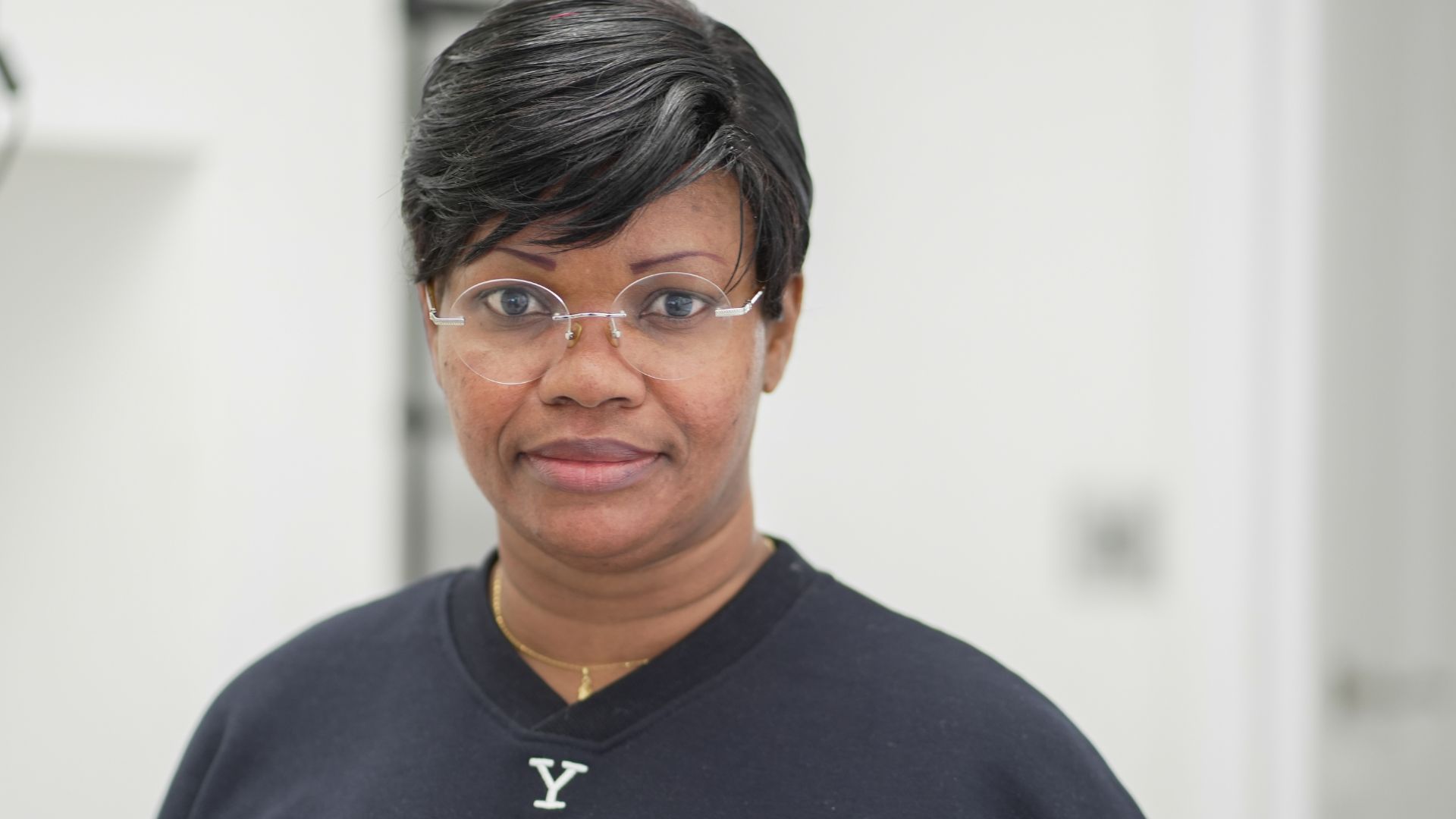
One of the residents who gained a placement was 47-year-old Lou from Croydon who, with English as her second language, wrongly felt her communication skills were not good enough for a job in the care sector.
However, at the end of her placement Lou was offered a permanent position and her employer is funding professional qualifications to further her career.
She says: “I was out of work for about nine months. I had been a cleaner but wanted to work in the care sector – I was used to doing that at home in West Africa where we look after our older relatives.
“Now I’ve got a job in domiciliary care and travel to support people in their own homes. It’s a really nice job. I like meeting and helping people and I want to move into a full time caring role. Having work is important. It makes a big difference to your life.”
SLP’s Fiona Oakes adds: “Ingeus’ presence in the wider South London Skills and Employment initiative has led to a rapid transformation in this field. It has made significant advances in working with both economically inactive and unemployed local people.”
The People and Skills South London Partnership Programme is funded by Government’s UK Shared Prosperity Fund (UKSPF).
We use cookies to ensure you get the best experience. Please choose the cookie level that's appropriate for you. We recommend allowing all cookies to ensure you get the most out of our website. Cookie Policy.